

Agent mode
Use chat to inspect, generate and save reviewed DataMaker workflows.
Open Chat in the intended project and describe your task. The in-product agent connects to the deployment's metadata, execution and system tools automatically.
Give it a concrete task
Specify the data shape, volume, source or target, constraints and expected artifact. For example:
Create twenty synthetic customers with example.com email addresses and save a CSV. Show me the field definitions and report any generation errors.
For a more complex workflow, ask for a plan first. By default a plan is a task checklist grouped by phase; ask for an entity plan when you want DataMaker to run it. Identify the environment explicitly when a request can write to an external system.
Inspect the transcript
The chat shows narration and tool steps. Expand a relevant step to inspect its arguments and result, and follow any job or artifact links. Verify that the outcome matches the request rather than relying only on the final summary.
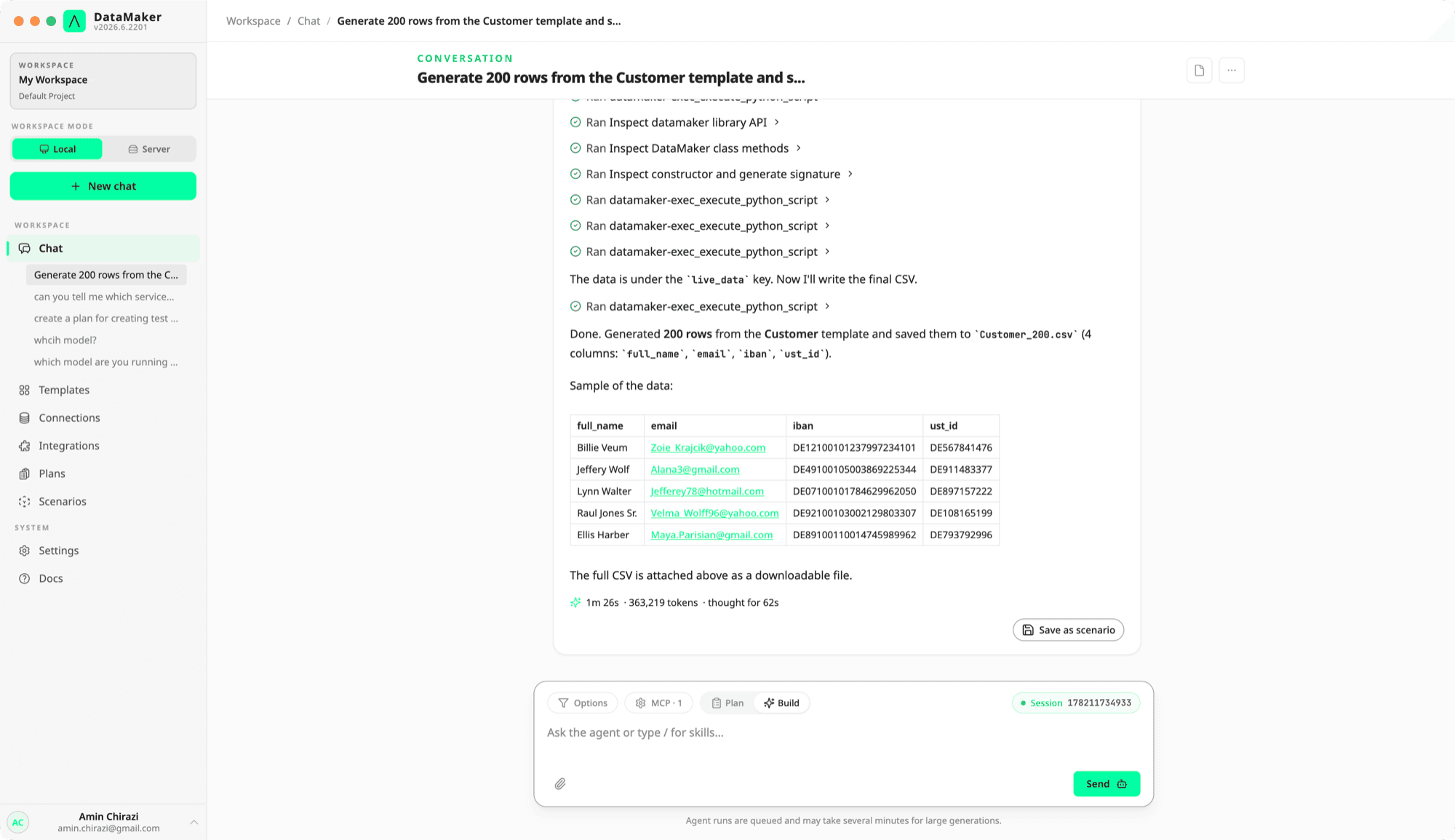
The available tools depend on the connected services and permissions. The current integrated server is different from the legacy standalone MCP package; see MCP.
Reuse a workflow
Ask to save a successful workflow as a scenario. Review the generated Python, target settings, requirements and environment variables before running it again. To preserve instructions rather than executable steps, create a skill.
Generated chat files appear in My data, and the reply that reports a file offers it as a download link rather than a file id. A file, set, template and scenario are different artifacts; state which one you want saved.
Model and reasoning
Unless your deployment pins a model, the agent uses Claude Sonnet 5.5. Every Claude model it runs works at medium effort, including one you pick for a single chat, and the transcript shows a summary of its reasoning.
Permissions and data handling
The agent acts within the authenticated workspace and available permissions. Honor approval requests and check scenario environment confirmations. Sensitive labels are not a universal export block or log redactor; use explicit masking policies for source data.
AI usage depends on the workspace plan and configured provider. See AI usage and Your own provider key.