

Templates
Define reusable fields, options, relationships, and generation behavior.
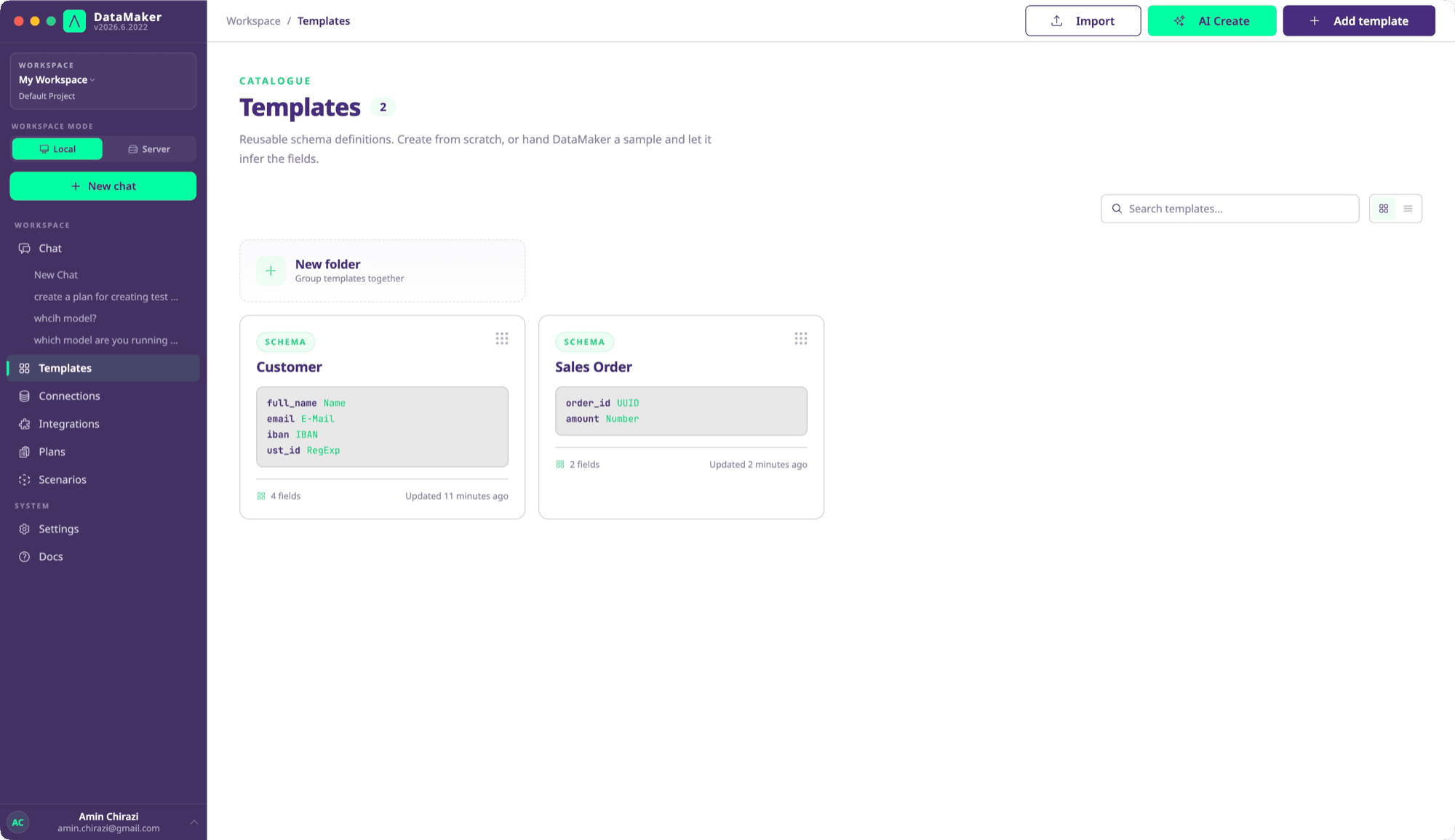
A template is a named list of fields used to generate data. It belongs to a project and can be reused from the editor, chat, scenarios or API.
Define fields
Each field has a name and a generator type. Options depend on that type:
{
  "name": "Customer",
  "fields": [
    {"name":"id","type":"UUID"},
    {"name":"first_name","type":"First Name"},
    {"name":"last_name","type":"Last Name"},
    {"name":"email","type":"Derived","options":{"value":"{{first_name}}.{{last_name}}@example.com"}}
  ]
}
Use names from the field catalogue. A field is generated unless it sets "active": false, so you can leave active out when importing a template like the one above. Generation quantity is supplied when you generate; the REST API uses POST /datamaker with fields and quantity.
Create, inspect and reuse
- Create a template in the editor or ask the agent to propose one from sample data or a connected schema.
- Review field types and options. Inferred fields are suggestions, especially when the input sample is small.
- Generate a few rows and inspect formats, nulls and relationships.
- Save the template and use its ID from your scenario or SDK.
Template updates change the stored definition. Do not assume every save creates a recoverable revision or that an @v7 ID pins an older version. Keep reviewed field definitions in source control when you need reproducible fixtures.
Templates can be grouped into folders once a project holds more than a screenful, and saved endpoints group the same way in Connections. A folder is organisation only: it carries no permissions and does not scope generation.
Control the result
- Distributions defines weighted values and seeded generation.
- Nested objects composes inline structures and references other templates.
- Python Script fields runs custom script output when ordinary generators are insufficient.
- Sensitive fields explains classification and actual masking controls.
- Schema discovery and custom types reuses source structure and value libraries.
Internal generators support a request seed. External AI, API, database and Python values can change independently of that seed. Inspect generated fields for error markers before treating a response as a valid test fixture.